Free MP4 to MP3 Converter Online
Fast way to extract MP3 from MP4 online for free
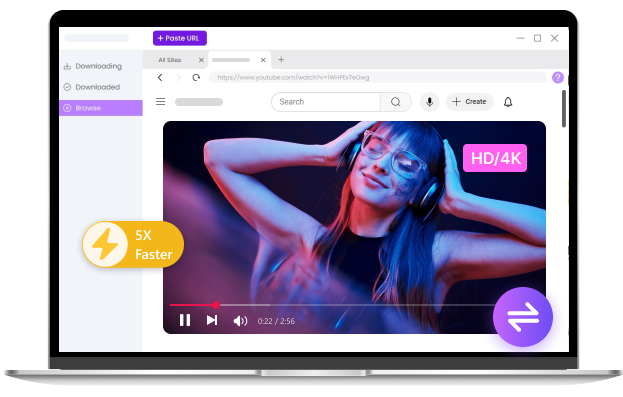
Pro Audio Converter
- 300+ formats supported
- High-quality batch conversion
- Convert large files at 60× speed
- Easy audio editing
How to Convert MP4 to MP3 Online for Free
-
Upload Your MP4 File
Select MP4 video from device. Files up to 100MB are supported.
-
Choose MP3 Output Format
Select MP3 as the output format and start converting MP4 to MP3.
-
Download MP3 File
Download your MP3 file instantly once processing is complete.
Core Features of Our Free MP4 to MP3 Converter Online
-
Fast & Secure MP4 to MP3 Conversion
All files are processed directly in your browser, so your MP4 videos never leave your device. This ensures maximum privacy and lightning-fast conversion.
-
Convert Up to 3 Files at Once
Batch audio conversion lets you process multiple videos simultaneously, saving time when you have music collections, lectures, or video playlists to convert.
-
100% Free MP4 to MP3 Conversion
No registration, no hidden fees, and no annoying ads. Unlike some competitors that add watermarks, our converter is completely free without any hidden cost.
-
Supports Files Up to 100MB
Handle larger MP4 videos effortlessly without lag or crashes. This free MP4 to MP3 tool is perfect for high-quality videos, lectures, or long recordings.
Why Convert MP4 to MP3
-
Listen to MP4 Audio Offline
Extract MP3 from MP4 so you can listen anytime without internet, perfect for commuting or traveling.
-
Learn from Videos as Audio
Turn lectures, courses, and tutorials into MP3 to study more efficiently on the go.
-
Create Audio from Video Content
Convert MP4 files into MP3 for podcasts, voice content, or social media audio.
Why Choose Our Free MP4 to MP3 Converter
-
High-Quality Audio Extraction
Automatically optimized settings ensure clear and balanced audio with quality close to the original.
-
AI-Enhanced Audio Processing
Smart processing enhances sound clarity and delivers consistent audio quality during conversion.
-
No Manual Settings Required
Automatically applies optimal settings, delivering great audio quality without manual adjustments.
-
No Registration Required
Convert files instantly without signing up or creating an account.
-
Works on All Devices
Fully compatible with mobile phones, tablets, and desktop browsers.
-
Supports 15+ Output Formats
Convert MP4 files into MP3 and other popular audio formats with ease.
Explore More Online Converters
-
Video Converters
Online Video Converter MP4 Converter AVI Converter MOV Converter MKV Converter WMV Converter -
Audio Converters
Online Audio Converter WAV Converter MP3 Converter OGG Converter MP4 to MP3 -
Image Converters
Online Image Converter WebM Converter GIF Converter JPG Converter PNG Converter HEIC Converter SVG Converter JPEG Converter
Show More
Hide
FAQ about MP4 to MP3 Converter
-
1. Is it safe to convert MP4 to MP3 online?
Yes, especially when MP4 to MP3 conversion happens locally in your browser without uploading files to a server.
-
2. Can I convert MP4 to MP3 on mobile devices?
Yes, the web-based MP4 to MP3 app works smoothly on mobile browsers, allowing you to convert files anytime, anywhere.
-
3. Will I lose audio quality during conversion?
No, the audio quality is preserved as much as possible during conversion. Our free online MP4 to MP3 converter automatically chooses optimal settings to maintain clear sound, so the resulting MP3 is very close to the original audio from your MP4 file.
-
4. What is the best bitrate for MP4 to MP3 conversion?
For high-quality audio, 320kbps is recommended. Lower bitrates like 128kbps can reduce file size but may affect sound quality.
-
5. How to convert MP4 to MP3 with high quality?
Our online MP4 to MP3 converter preserves the original audio quality as much as possible using optimized settings. However, if you need even higher quality control, faster processing, or advanced options, you can use our Pro Audio Converter for professional-grade results.
-
6. Is there an offline tool for MP4 to MP3 conversion?
Yes, you can use our Pro Audio Converter for offline conversion. It supports local file processing, large files, faster speeds, and high-quality batch conversion without internet limitations.
-
7. What is the difference between MP3 and MP4?
MP3 is an audio-only format, while MP4 can contain both video and audio. Converting MP4 to MP3 extracts only the audio track.
-
8. What is an MP3 file?
MP3 is a compressed audio format that reduces file size while maintaining good sound quality, making it ideal for music and podcasts.
-
9. What is an MP4 file?
MP4 is a multimedia format that can store video, audio, subtitles, and images in a single file.
Don't Forget to Give Us 5 Stars
4.8 out of 5 stars, 187 ratings
Last updated: 2026-03-20
